Get started
Contact HRS support
Send a request about any HRS product, follow the conversation, and know what to expect.
The Contact center (Help → Contact, or Contact support in the footer) is one place to reach HRS about any of our products: Triage, the Core platform, training, phishing simulations, or your account.
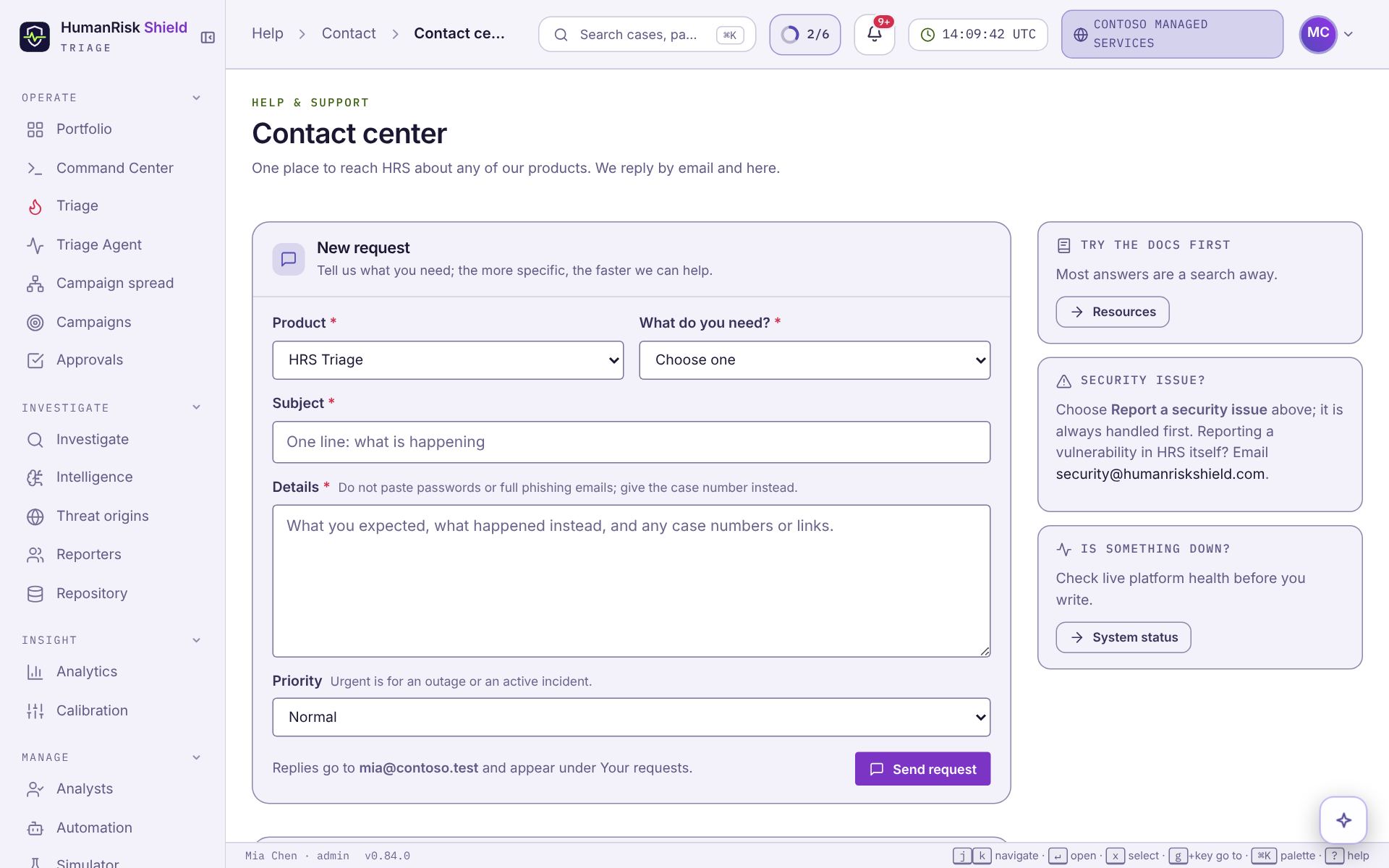
Send a request
- Pick the Product and What do you need?.
- Write a one-line Subject and the Details: what you expected, what happened instead, and any case numbers or links. Do not paste passwords or whole phishing emails; a case number is enough.
- Choose a Priority. Urgent is for an outage or an active incident.
- Press Send request.
You get an email with a reference like HRS-7K4Q-92TF. Replies arrive by email and under Your requests, where you can answer back. Replying to a resolved request reopens it.
Before you write
- Many answers are in Resources. Pages' Help for this page links go straight to the right guide.
- If something looks down, check System status first.
Security issues
Choose Report a security issue; it is always handled first. To report a vulnerability in HRS itself, email security@humanriskshield.com.
Still stuck?Contact support